Tutorial
Local TTS for Game NPCs: Building 10 Characters Without a Cloud Bill
A practical local TTS pipeline for ten game NPC voices, with latency budgets, character bibles, export naming, engine integration, and licensing checks.
 Murmur8 min read
Free plan with Kokoro voices, scripts up to 1,500 characters · 3-day Pro trial, then $49 once
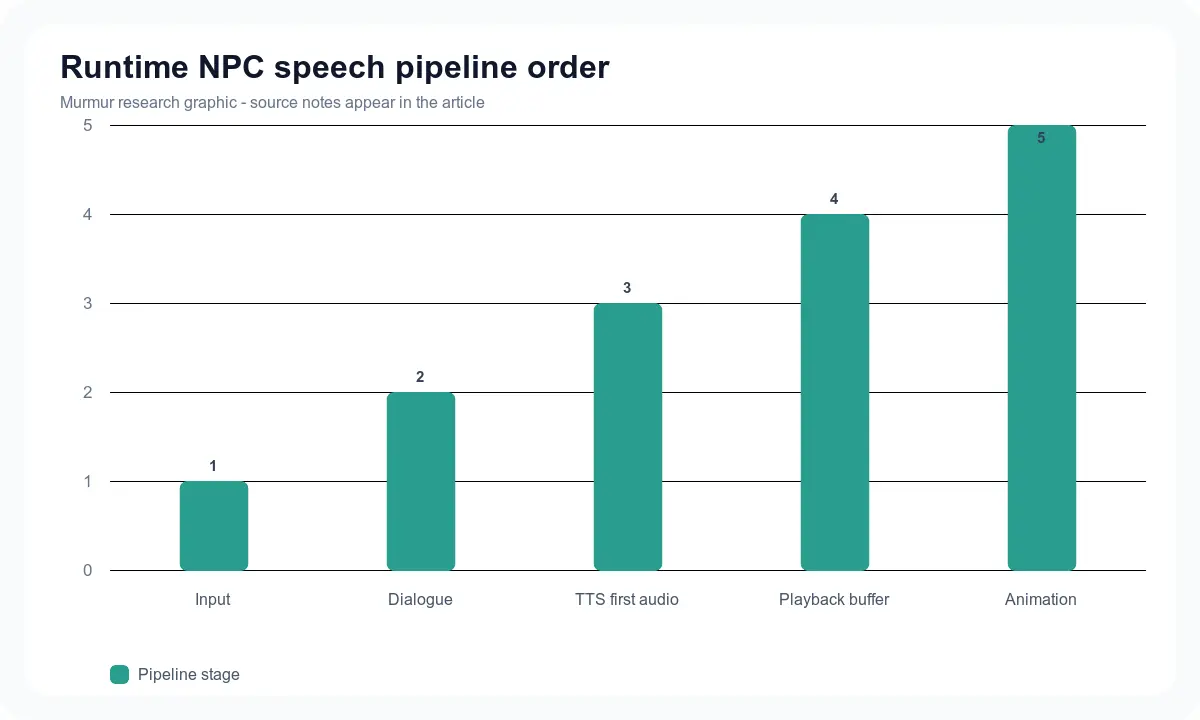
The cheapest reliable way to voice ten game NPCs is a hybrid local pipeline: pre-generate story-critical lines as WAV files, reserve runtime TTS for optional or generated dialogue, and give each character a written voice bible plus a locked model, voice, and settings preset. Use a light model for ambient lines and prototypes, then a more expressive cloning or designed-voice model for named characters. Budget latency separately for speech-to-text, dialogue generation, TTS, playback buffering, and facial animation. Do not make ten model copies compete for the GPU. Keep one loaded engine where possible, queue requests, cache every accepted line, and fall back to subtitles or pre-generated audio when runtime generation misses its target. This approach removes per-character cloud credits while preserving editorial control over the dialogue players hear most often.
In this guide
- A ten-character voice roster
- Which local TTS model fits each role
- A practical latency and memory budget
- Offline authoring versus runtime generation
- Unity and Unreal handoff
- Lip sync, licensing, consent, and QA
Why ten characters is a workflow problem, not a voice-count problem
A demo can clone one voice and speak one sentence. A game needs hundreds or thousands of lines, consistent casting, repeatable pronunciation, patchable assets, and predictable performance while rendering a world. Ten characters also need contrast. If every voice uses the same pace and emotional range, different timbres will not save the scene.
Recent community projects show both the demand and the constraint. A June 28, 2026 r/LocalLLaMA post about a local NPC engine drew more than 1,800 votes and described a pipeline using local speech recognition, a local language model, and Qwen3-TTS. The comments immediately focused on GPU load and latency. Another open project reported a shared generation lock so several characters can keep separate contexts and TTS settings without generating on the GPU at the same time. These reports are useful implementation evidence, but hardware numbers remain community measurements, not vendor guarantees.
Design the cast before generating audio
| NPC | Dialogue job | Voice direction | Generation strategy | Fallback |
|---|---|---|---|---|
| Narrator | World context and recaps | Measured, neutral, clear names | Pre-generate all | Subtitles plus approved master |
| Merchant | Repeatable transactions | Warm, quick, light variation | Pre-generate core; runtime greetings | Cached generic greeting |
| Guard | Warnings and state changes | Short, firm, high intelligibility | Pre-generate | Text bark |
| Quest giver | Long exposition | Distinctive but stable | Pre-generate and direct | Approved alternate take |
| Companion | Frequent reactive lines | Conversational, broad emotion | Hybrid | Cached reaction set |
| Villain | Rare dramatic scenes | Controlled intensity | Pre-generate only | Never runtime |
| Child inventor | Fast technical lines | Bright, not caricatured | Pre-generate | Subtitle |
| Archivist | Names and lore | Slow with pronunciation rules | Pre-generate | Glossary-backed take |
| Creature | Non-lexical barks | Designed and layered | Sound design, not normal TTS | Library sample |
| Crowd citizen | Ambient variation | Low identity requirement | Runtime light model and cache | Generic bank |
Give every named NPC a one-page voice bible: age range, energy, pace, pitch direction, accent, emotional limits, words to avoid, three reference lines, pronunciation overrides, approved model, and approved settings. A text description is safer and easier to audit than cloning an actor without a clear contract. If you do clone a performer, consent should name the game, characters, allowed languages, runtime use, marketing use, retention, and revocation process.
Choose local TTS models by job
Use a light deterministic voice for high-volume background work and an expressive model for lines that carry character. Piper is a fast local neural TTS project with many downloadable voices, but its original repository is archived and development moved to a GPL successor. The archived repository also warns that each voice has its own model card and may have restrictive terms. That makes it useful for prototyping, provided the team records the exact code and voice licenses.
Kokoro is another light option for rapid authored lines. The official Qwen3-TTS project adds multilingual cloning, custom voices, Voice Design, and published consistency benchmarks. Chatterbox adds multilingual cloning, expressive controls, a permissive repository, and documented watermarking. The local TTS model guide covers their broader tradeoffs. For game production, the winner is the model that meets script fidelity, startup time, memory, and license requirements on your supported hardware.
| Role | Good starting model type | Why | Risk to test |
|---|---|---|---|
| Ambient citizens | Small fixed-voice model | Fast, repeatable, low memory | Voices may sound too similar |
| Named multilingual NPC | Qwen3-TTS base or multilingual cloner | Language and voice identity controls | Runtime size and first-audio delay |
| Expressive companion | Chatterbox or another expressive cloner | Emotion and speaker identity | Repetition, continuation, and setting drift |
| Creature vocalization | Designed sound plus processing | Better control than forcing speech model | Avoid accidental human imitation |
| Dynamic accessibility narration | Clear light model | Intelligibility and broad coverage | Pronunciation and UI-thread blocking |
Pre-generated, runtime, or hybrid NPC speech
Pre-generated audio gives writers and audio directors final approval. It can be compressed, localized, lip-synced, tested, and shipped like any other asset. Runtime TTS creates variation and can speak generated text, but it adds startup, memory, thermal, determinism, safety, and platform problems. A hybrid keeps authored story beats fixed while allowing optional conversation around them.
- Pre-generate any line that changes a quest, teaches a mechanic, contains a proper name, expresses grief or threat, or appears in a trailer.
- Use runtime speech for low-stakes greetings, reactive flavor, user-named objects, or experimental dialogue modes.
- Cache accepted runtime lines so repeated text plays instantly and remains consistent.
- Ship a subtitle-first fallback when the model is unavailable, slow, or out of memory.
- Never let an unreviewed model invent payment, safety, or moderation instructions inside the game.
Set a latency budget before choosing hardware
For typed player input, runtime speech begins after dialogue generation and TTS buffering. Spoken input adds microphone capture, voice activity detection, and speech recognition. Lip sync may add another processing stage. Track time to first audio, not only total generation time. A model that produces ten seconds of audio in five seconds can still feel slow if nothing plays for four seconds.
Measure cold start and warm start separately. The first request may load gigabytes of weights; later lines reuse the model. Profile alongside the actual game scene on the minimum supported machine. A local NPC project shared on Reddit reported roughly 400 to 600 milliseconds time to first audio on its chosen 4070 Ti setup and used a shared generation lock. Treat that as a design clue, not a target your stack automatically inherits.
| Stage | Metric | Prototype target | Failure response |
|---|---|---|---|
| Input | End-of-turn detection | Measure by interaction type | Push-to-talk or typed fallback |
| Dialogue | Time to first usable text | Stream complete clauses | Short acknowledgement or canned line |
| TTS | Time to first audio | Under one conversational beat | Play cached acknowledgement |
| Playback | Buffer underruns | Zero in 20-minute test | Increase buffer or pre-generate |
| Animation | Audio-to-face delay | Visually aligned | Use basic visemes or no facial solve |
Build one local generation service
- Normalize text and reject unsupported markup before it reaches TTS.
- Resolve character ID to model, voice, language, style preset, and pronunciation dictionary.
- Hash normalized text plus every generation setting to form the cache key.
- Send requests through one priority queue. Story dialogue outranks ambient chatter.
- Keep the current model warm, but set a memory ceiling and unload predictably between families.
- Stream only complete clauses to models that support incremental input.
- Write raw WAV, transcript, duration, model version, seed, and generation time to the cache.
- Return a playable path or stream plus viseme or timing data when available.
- Fall back to an approved clip or subtitle if the deadline expires.
Do not generate on the Unity or Unreal main thread. Put the service behind a local process, plugin, or WebSocket boundary and make cancellation explicit. When the player skips dialogue, stop playback and cancel or deprioritize pending generation. On shutdown, terminate the local service cleanly. Community developers have reported store-review trouble when companion processes remained running after the game closed.
Export and integrate authored NPC lines
A desktop production tool is useful even when runtime TTS exists. In Murmur, keep one project per chapter or location, assign speakers, compare alternate takes, place clips on a timeline, and export lossless masters. Use a naming scheme such as npc_scene_event_locale_take.wav. Store the script ID in metadata or a sidecar file so localization and patches do not depend on filenames alone. The local voice studio versus DIY stack guide can help decide where authoring should live.
Unreal Engine 5.6 and later can process a SoundWave asset with MetaHuman Animator’s audio-driven workflow. Epic documents offline audio processing with controls for head movement, blinks, mood, and mouth-region curves. NVIDIA’s Audio2Face-3D collection offers local SDK and Unreal plugin paths, but components have different licenses and the gated emotion models require a separate click-through. Treat speech generation, animation code, animation models, and character assets as four license checks.
QA ten characters as a cast
Build one golden scene that includes all ten characters. Keep the dialogue short enough to review on every release, but include overlapping requests, a proper name, a number, a shouted warning, a quiet ending, and one interruption. Save the expected files and timings. This scene becomes a release gate for model upgrades, quantization changes, cache changes, engine patches, and new minimum hardware.
Run the same scene with runtime speech disabled. Every required line should still have a subtitle or approved audio fallback, and the quest should remain playable. This catches a common architectural mistake: treating generated speech as the source of game state. The game system should own actions, inventory, quests, and saves. Voice communicates state; it should not be the only place that state exists.
- Blind-test identity: can listeners distinguish every named NPC without labels?
- Run a shared difficult script to compare numbers, names, punctuation, and sentence endings.
- Run each character’s three signature lines at the beginning and end of a 20-minute session to detect drift.
- Measure integrated game frame time, memory, time to first audio, and buffer underruns.
- Test overlapping requests and verify priority, cancellation, and cache behavior.
- Review every story-critical line with the writer and audio owner.
- Test subtitles and accessibility when local speech is disabled.
- Audit licenses and consent before each public build.
Frequently asked questions
Build the cast once, then regenerate without a meter running
A ten-character local TTS cast works when voices, scripts, latency, memory, caching, and rights are treated as one production system. Start with authored lines, add runtime speech only where variation earns the risk, and keep a subtitle fallback. For local Mac authoring with multiple model families, reusable speakers, alternate takes, projects, queueing, timeline editing, and WAV or M4A export, explore Murmur voices and download Murmur.
Sources
- Qwen3-TTS official repositoryAccessed 2026-07-13
- Resemble AI Chatterbox official repositoryAccessed 2026-07-13
- Piper archived official repositoryAccessed 2026-07-13
- Epic MetaHuman audio-driven animationAccessed 2026-07-13
- NVIDIA Audio2Face-3D collectionAccessed 2026-07-13
- Community local NPC engine discussionAccessed 2026-07-13
- Open local NPC-to-NPC backend discussionAccessed 2026-07-13
Create and organize local character voices on Mac
Murmur costs $49 once and includes local voice models, cloning and design workflows, projects, alternate takes, queueing, timeline editing, and WAV or M4A export. There is a free plan and a 3-day Pro trial and purchases have a 7-day refund policy.
macOS 15+ · Apple Silicon required · 7-day refund policy