Interactive preview with sample content. Audio generation runs in the Mac app.
Murmur
A PolishedSaved voice
Today we are testing this designed voice with a clear natural sentence, a gentle pause, and enough warmth, energy, and detail to hear how it sounds in a real spoken moment.
From My voices. Ready to reuse in your next recording. Transcript ready for Fish Audio S2 Pro
131 chars · 25 words · ~11s
Meet your local voice studioA Polished · Fish Audio S2 Pro
0:00 / 0:00
01 / 08 · Create speech
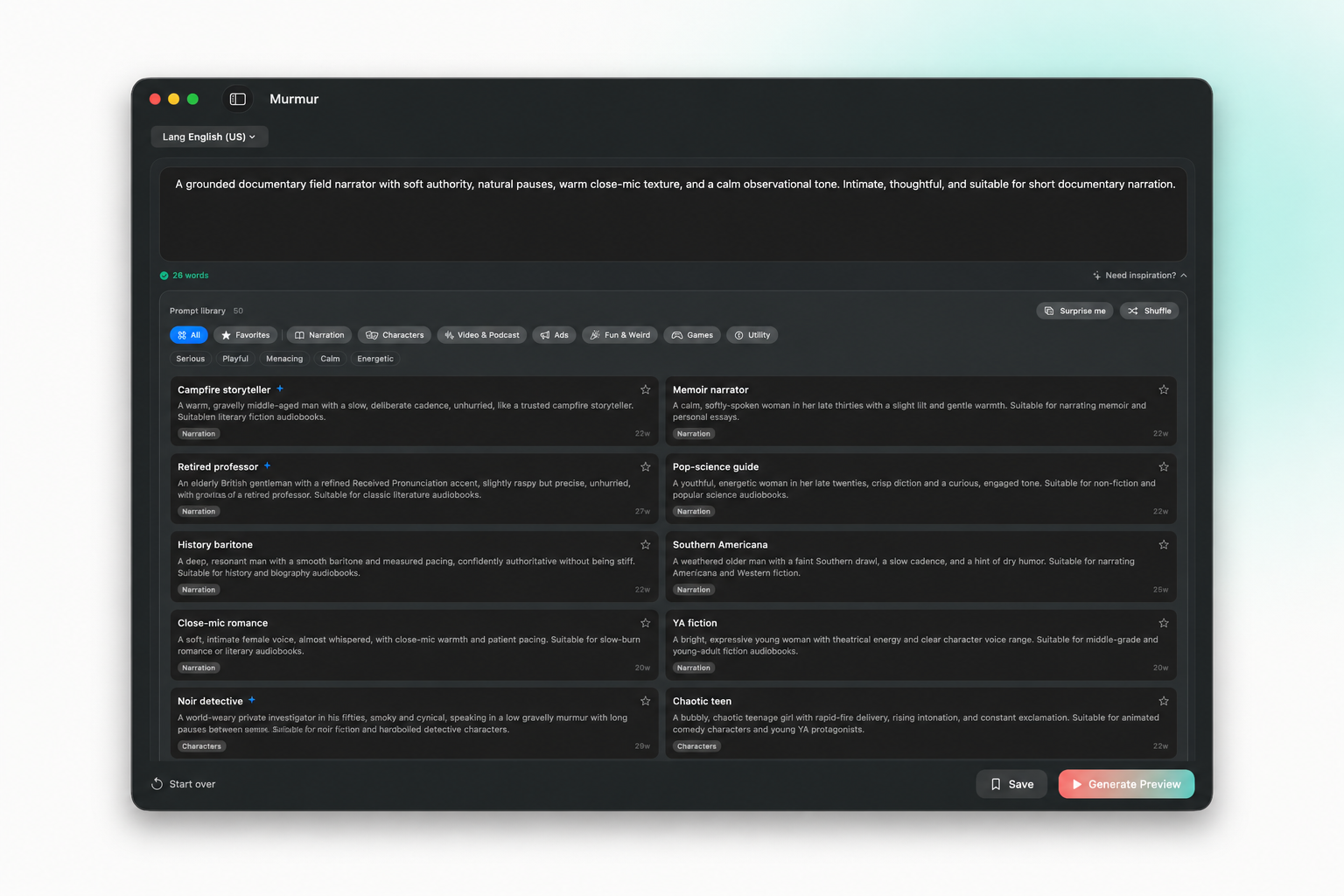
Your first voiceover starts with a script.
Write or import text, choose a voice and model, then generate on your Mac. Tune the controls supported by your model and export the take you like.
1Add your text2Choose a voice3Generate & export
Voice Library
Hear the difference across 860+ voices
From warm American narrators to energetic British hosts. Preview any voice instantly — right here.
Browse community voices, preview samples, and import into Murmur.
Local TTS vs cloud TTS: one Mac app, no usage caps
Many cloud TTS services use monthly plans or usage-based pricing. Murmur runs on your Mac after setup: one price, private scripts, unlimited local generation.
Cloud TTS services
Subscription or usage-based pricing
Pay per character or per minute
Your scripts uploaded to their servers
Internet required for every generation
Watermarks or usage caps on free tiers
Murmur
One-time purchase, use forever
Unlimited generations, no caps
Speech generation stays on your Mac
Works offline after first setup
Export audio for your workflow
CUSTOMER REVIEWS
In their own words.
From DJ drops to everyday narration. Here’s what people are making of Murmur.
“
This is perfect, No buying credits, or monthly subscriptions. It just works
John
Amazing app, incredible quality! and best part is it is all offline!
Caspian Ievers
This tool is absolutely amazing. The narrator voices are high-quality, and there are plenty of options to choose from. What I love most is that it even works offline and it’s a lifetime deal. I’m confident that anyone who purchases it will be impressed and save a ton of money.
Walter Hofstetter
Murmur is an excellent AI voice cloner, I use it a lot to make DJ jingles/drops, and is even great for cloning your own voice if you can't be bothered to record yourself. I was recently disturbed that on a previous update there seemed to be a 30 second sample limit, thereby breaking all my voice models. For me that rendered it useless, as I really didn't want to have to start from scratch. I am very pleased to say that has now been fixed and Murmur is best in its class. All my models are now working once more. I thoroughly recommend it!
Lucas Schmidt
We received a prompt response regarding our issue and look forward to the fully functioning fish-audio model. (Update April 11: Excellent customer service. Easy to use interface. The main model Fish-speech produces high quality audio results. Highly recommended.)
K. Kwatamani
YOUR LOCAL VOICE STUDIO
Make more. Pay once.
Narrate your scripts, clone your voice, and build full audio projects. All on your Mac.
Unlimited local generation. No credits or monthly fees.
Voice cloning, voice design, and community voices.
Projects and a batch queue for longer productions.
No. Murmur costs $49 USD as a one-time purchase. Generate locally without credits, per-word charges, or a monthly subscription.
Will it work on my Mac?
You need macOS 15 or later and an Apple Silicon Mac (M1 or newer). Intel Macs are not supported. Model downloads, memory needs, and generation speed vary by speech model and your hardware.
Does it work without the internet?
Speech generation runs locally after you download your chosen models. Internet is needed for initial setup, model downloads, and online features such as browsing community voices.
What can I make and export?
Create narration, DJ drops, podcast intros, and longer audio projects. Clone your own voice, design a voice, or choose from the voice library. Export WAV or M4A audio for editing and sharing.
What happens after I buy?
You receive a download and license key by email. Install Murmur, activate your license, and download the models you want to use. If it does not fit your workflow, request a refund within 7 days of purchase.
What does notarization by Apple mean?
Apple notarization checks submitted software for malicious components. It is not an App Store review or an endorsement.
MEET THE MAKER
Hi, I’m Tarun.
I build Murmur. If you have a question about your Mac, need help with a voice, or want to share an idea, you can email me directly.
Murmur is not limited to the app window. Generate narration from Terminal or let your coding agent create, inspect, and organize audio without uploading your scripts.
Generate from Terminal
Turn scripts and Markdown files into WAV or M4A with one command.
Connect your coding agent
Let Codex, Claude, and Cursor discover voices and create audio through MCP.
Keep every output local
Use the models and voices already installed on your Mac—no cloud API key required.