OmniVoice language
Mesopotamian Arabic text to speech for Mac
Create Mesopotamian Arabic narration, tutorials, and multilingual voiceovers on your Mac with local generation, OmniVoice support, and a workflow built for Mesopotamian Arabic-language creators and teams who want a local Mac voice workflow.
Free plan with Kokoro voices, 3,000 characters a day · 3-day Pro trial, then $49 once
Mesopotamian Arabic text to speech in Murmur
Preview real lines, keep drafts local, and export finished audio from the same Mac workflow. A Windows beta is also available.
- Language sample workflow
- OmniVoice language support
- Local Mac generation
- Export-ready audio
01 · Context
Mesopotamian Arabic support should mean a production workflow, not just a checkbox
Most Mesopotamian Arabic TTS pages stop at "supported." That is not enough when you need to judge voice quality, preview a real paragraph, revise a script, and export audio without watching a usage meter.
Murmur is built for local Mac production. You can test Mesopotamian Arabic lines, use OmniVoice for broad language coverage, use cloning where the selected model supports it, and keep private drafts on your machine.
02 · Highlights
Mesopotamian Arabic-capable models in Murmur
Choose a model below for Mesopotamian Arabic, download it in Murmur, and try a short passage before starting a longer project. Model availability and pronunciation vary by language.
OmniVoice
Murmur's new many-language voice cloning path, backed by OmniVoice's 646-language runtime catalog. For Mesopotamian Arabic, Murmur can pass the OmniVoice language hint "acm" or the full language name.
03 · Highlights
Iraqi Arabic text to speech: pronunciation checks
Before recording a full Mesopotamian Arabic script, check the names, places, and spellings your audience will hear.
Baghdad and Basra creators voice Iraqi Arabic vlogs, dubbing teams adapt Turkish dramas, and newsrooms record bulletins that switch between formal Arabic and everyday Iraqi speech.
For best results, test Mesopotamian Arabic with a complete paragraph, not a one-line greeting. That exposes pacing, punctuation handling, borrowed words, and whether the voice still sounds natural after several sentences.
Baghdadi versus Mosuli accents
Add this to your Mesopotamian Arabic test script so you can catch pronunciation issues before producing the final YouTube, course, or training audio.
Persian and Turkish loanwords
Add this to your Mesopotamian Arabic test script so you can catch pronunciation issues before producing the final YouTube, course, or training audio.
چ for the ch sound
Add this to your Mesopotamian Arabic test script so you can catch pronunciation issues before producing the final YouTube, course, or training audio.
Ask a fluent Mesopotamian Arabic speaker to review the test recording. Revise any mispronounced words, regenerate the affected lines, and listen across the joins before export.
04 · Highlights
What Mesopotamian Arabic text to speech works best for
Mesopotamian Arabic narration
Use Murmur to turn Mesopotamian Arabic scripts into listenable audio for Mesopotamian Arabic narration, with local previews and export-ready output on Mac.
Localized videos
Use Murmur to turn Mesopotamian Arabic scripts into listenable audio for localized videos, with local previews and export-ready output on Mac.
Training and education audio
Use Murmur to turn Mesopotamian Arabic scripts into listenable audio for training and education audio, with local previews and export-ready output on Mac.
05 · Context
How to evaluate Mesopotamian Arabic output before publishing
For Mesopotamian Arabic, test a real paragraph instead of a generic demo line so pronunciation, rhythm, and pacing match the finished project.
The practical test is simple: paste the exact opening paragraph of your real script, preview it, then listen again as a viewer or learner would. If the pacing works there, the rest of the workflow becomes much easier to trust.
Model stats
OmniVoice model details
Murmur uses OmniVoice for Mesopotamian Arabic. Check pronunciation with a fluent speaker before using the output in a finished project.
Hugging Face model cardTraining coverage varies by language. The total dataset size does not tell you how well a particular name, dialect, or sentence will sound.
arXiv paperFor Mesopotamian Arabic, start with a short clean reference clip and test the exact script style you plan to publish.
OmniVoice demo siteVideo + visual workflow
Build a stronger Mesopotamian Arabic voiceover from real examples
Before publishing Mesopotamian Arabic audio, compare Murmur output with native-speaker material, YouTube examples, and your own script goals. The best workflow is to watch a few real Mesopotamian Arabic clips, paste a representative paragraph into Murmur, then adjust pacing and wording before export.
Watch Mesopotamian Arabic examples on YouTubeUse native-speaker videos as reference material for pacing, names, and phrase rhythm before generating the final voiceover.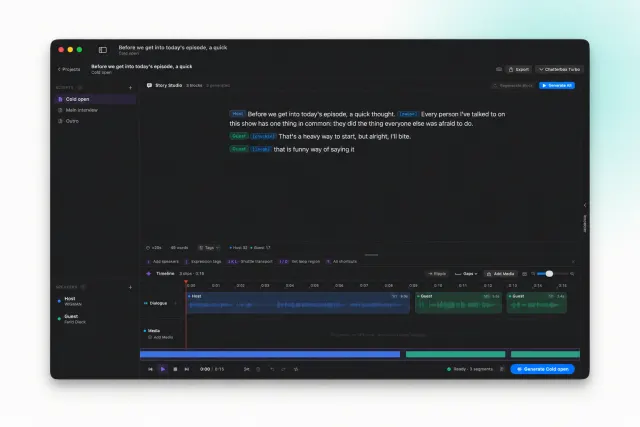
FAQ
Common questions
Yes. Murmur is designed around local generation on your Mac after setup and any required model downloads.
macOS · Local TTS
Create Mesopotamian Arabic audio on a workflow you control
If you need Mesopotamian Arabic text to speech without turning every draft into a cloud transaction, Murmur gives you a local-first way to generate, review, and export audio.